Purple
Switched Claude accounts? Get your sessions back.
Your sessions are still on your Mac. Purple puts them back in the Code tab's sidebar.

Two screens, one job
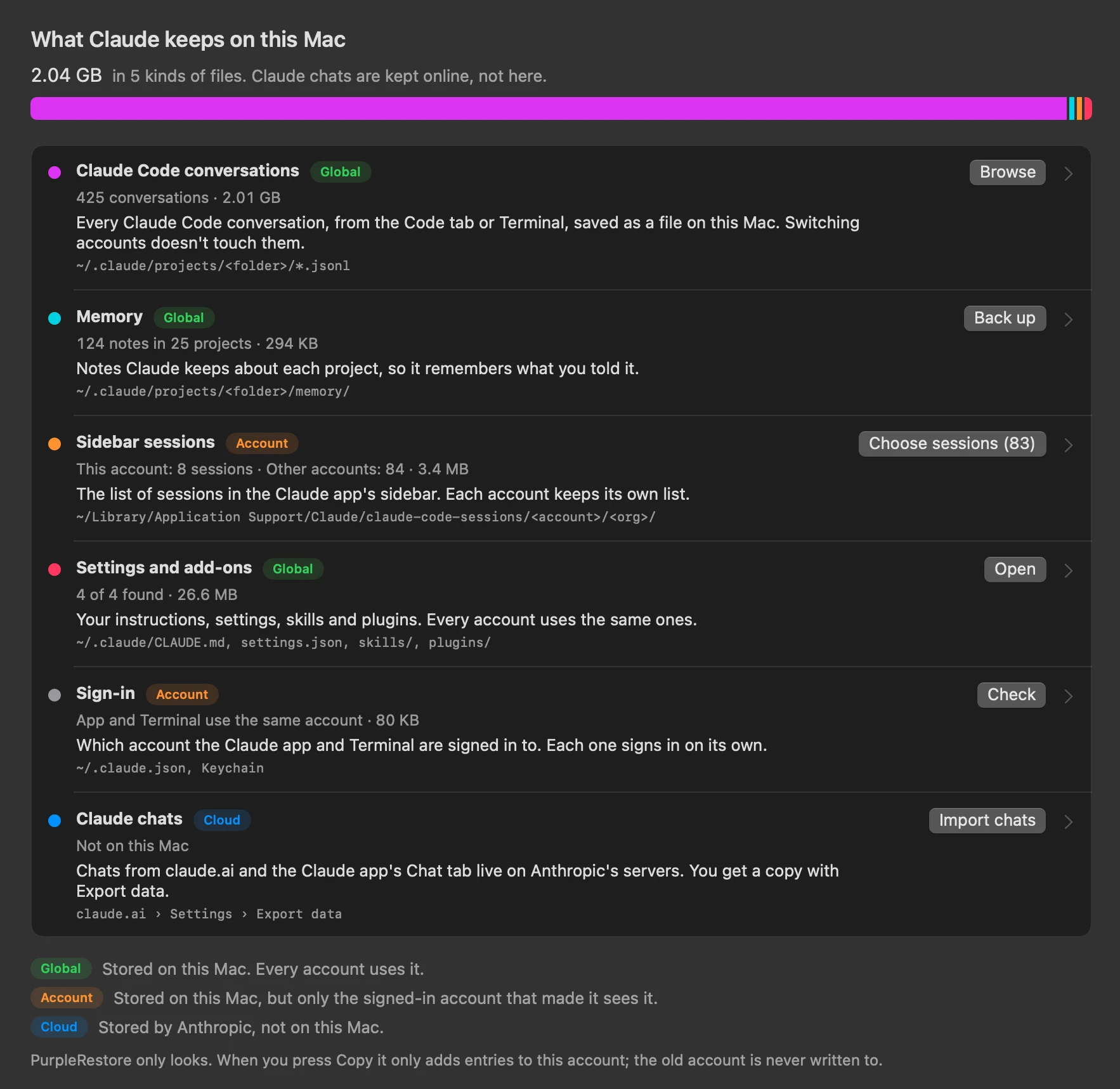
See what Claude keeps
One storage bar, then a row for each thing Claude keeps on your Mac: conversations, memory, the sidebar list, settings and add-ons, and sign-in. Open any row for the details.
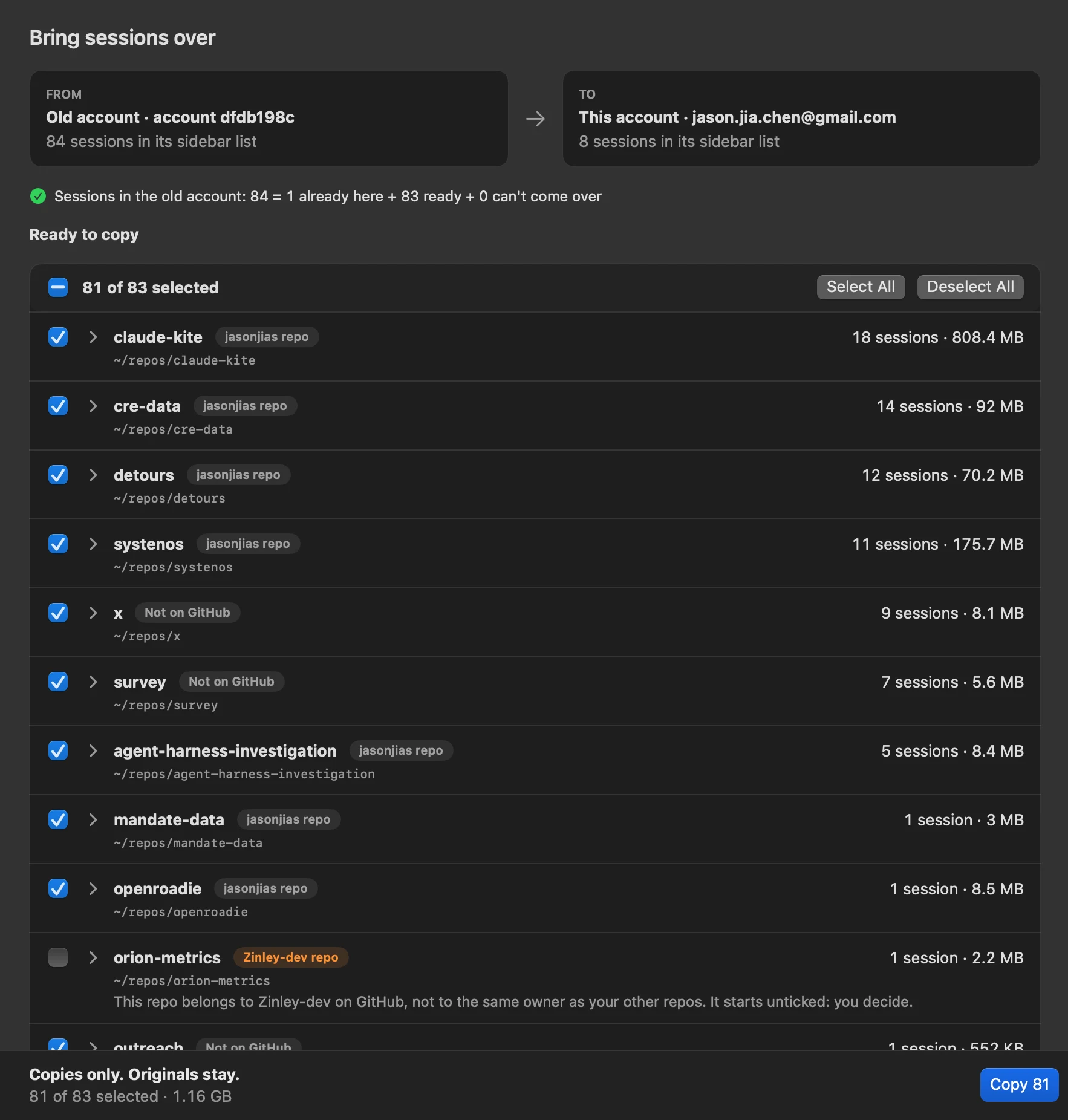
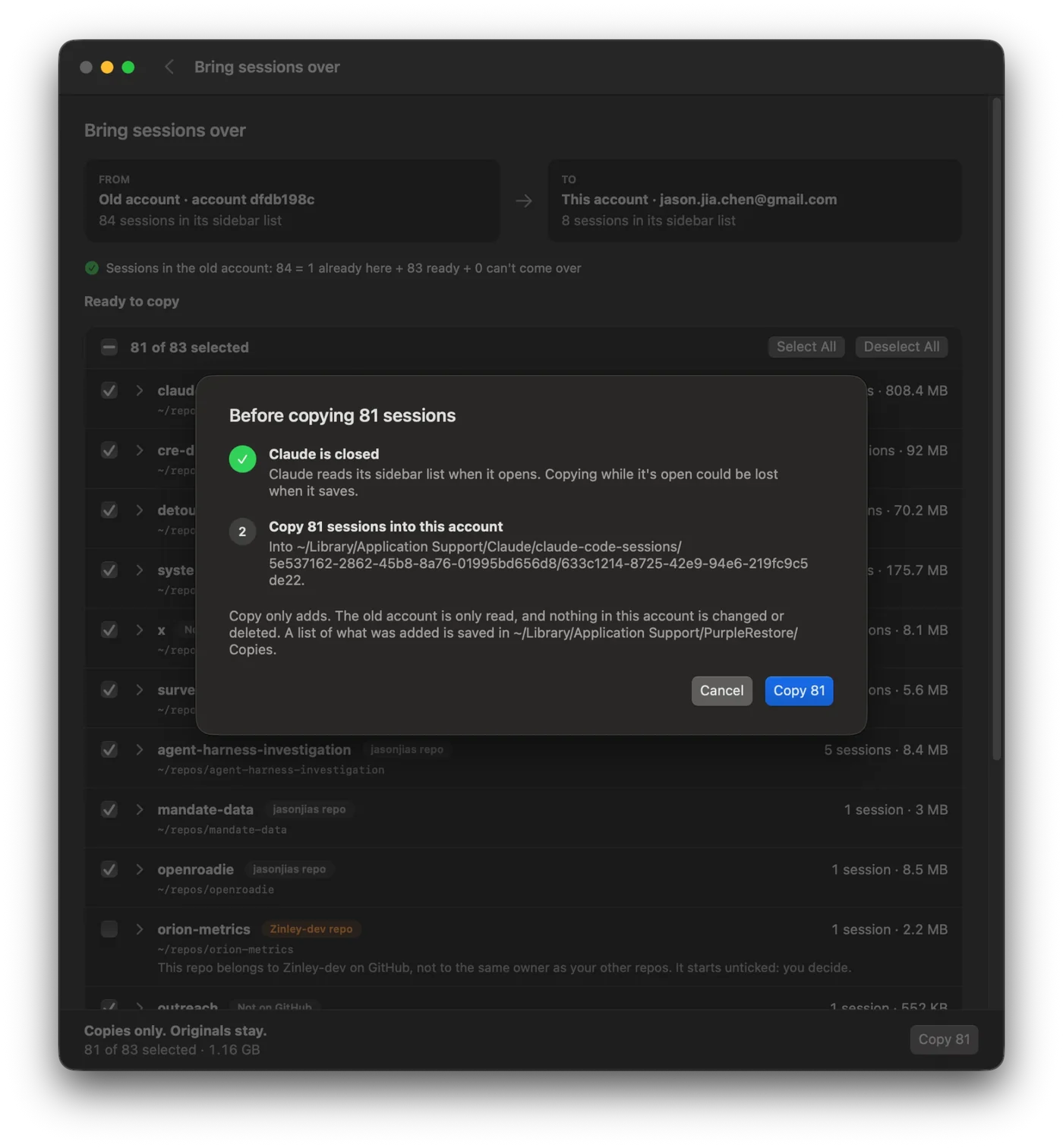
Bring sessions over
Pick the old account, tick the sessions you want by project folder, and press Copy. The count always adds up: already here, ready, and can't come over. A repo that belongs to someone else, like a former employer, starts unticked.
How it goes
-
1
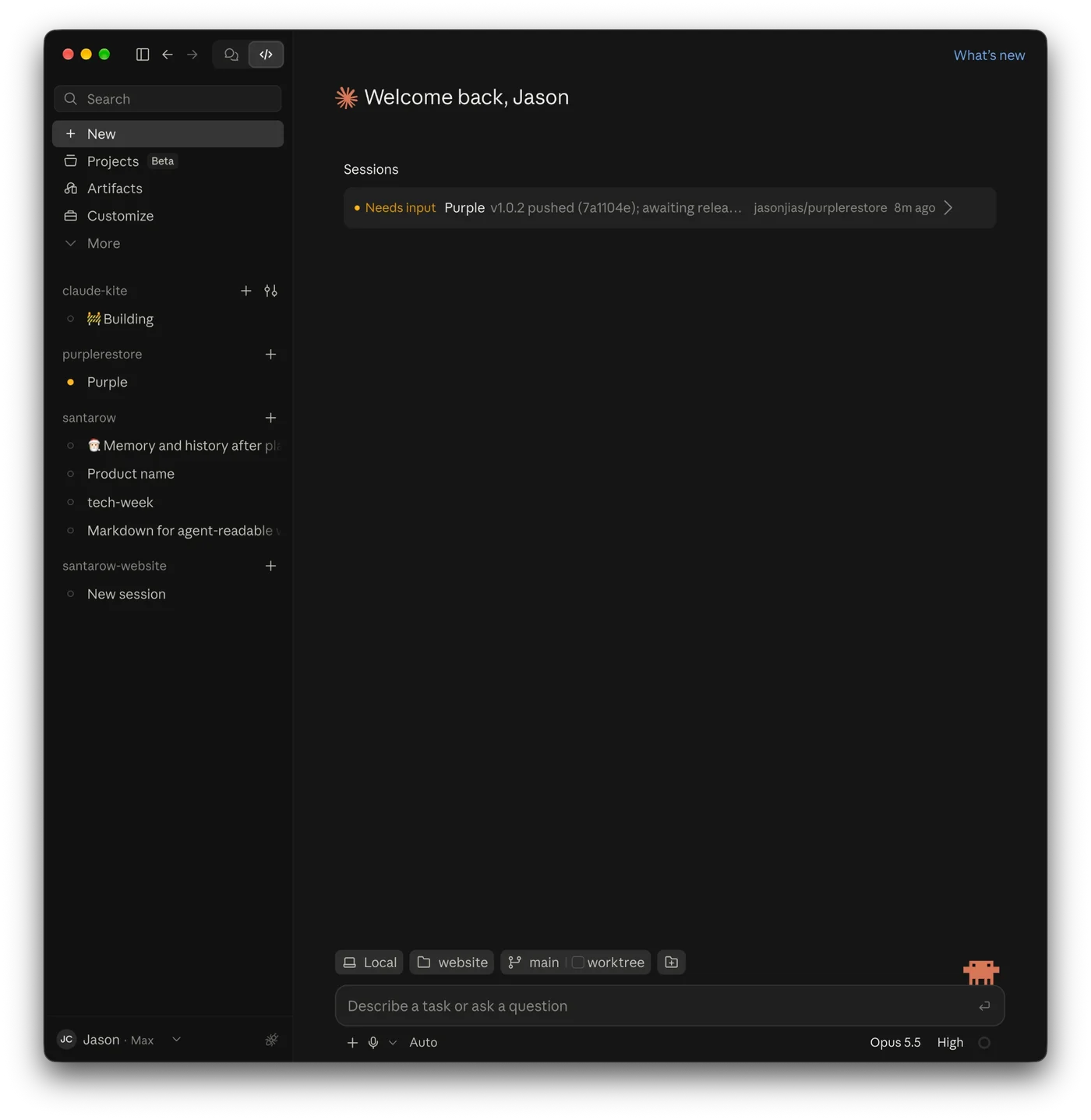
Switched accounts
The Code tab's sidebar now shows only what the new account has made. Your other sessions are still on your Mac, just not listed.
-
2
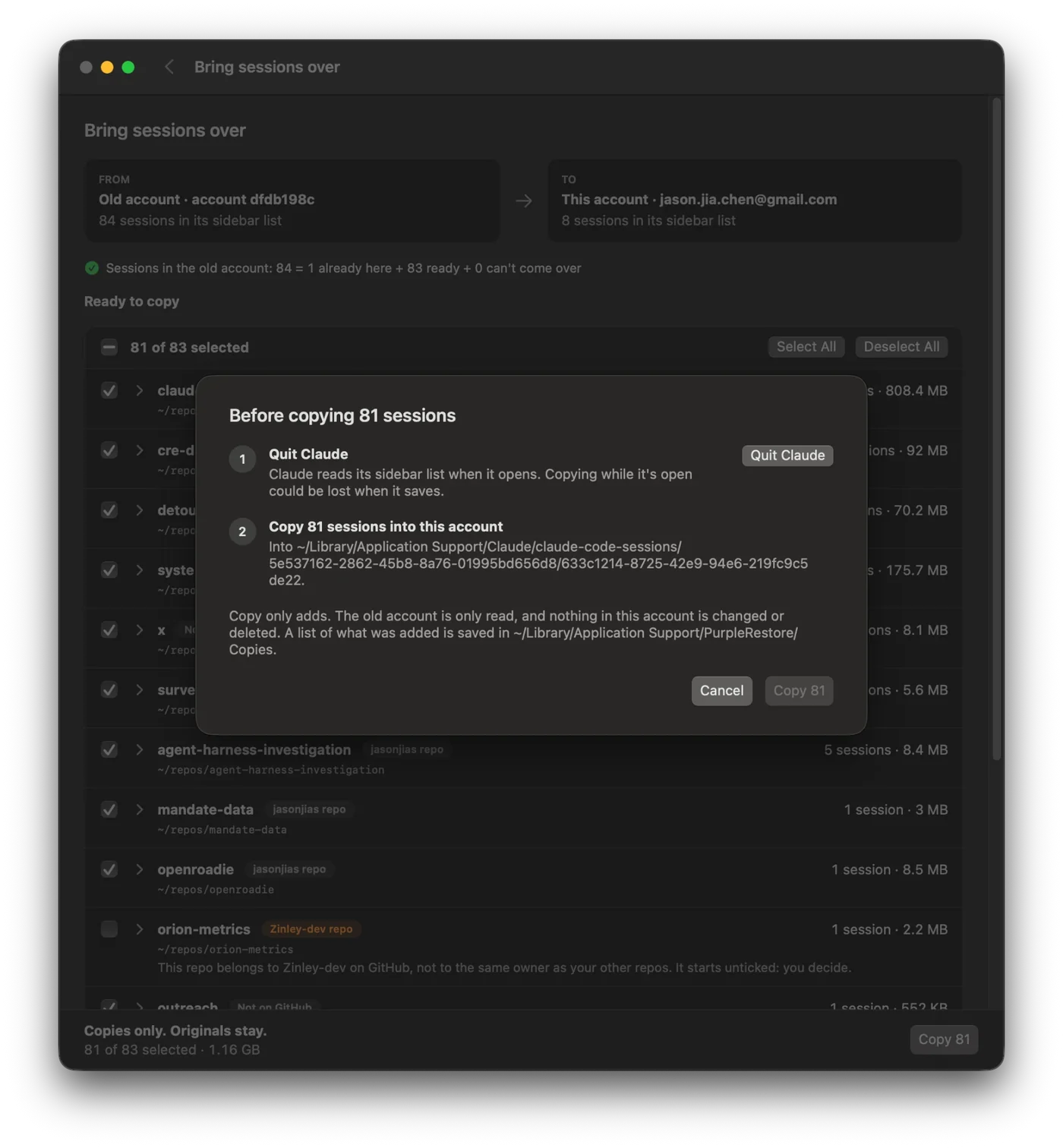
Quit Claude
Claude reads its sidebar list when it opens, and a copy made while it's open could be lost when it saves. Purple asks first, and one button quits it.
-
3
Copy
Claude is closed. Press Copy. It adds entries to this account and moves Claude's “deleted” notes for them aside, keeping them. Nothing is overwritten or deleted, and a list of what it did is saved.
-
4
They're back
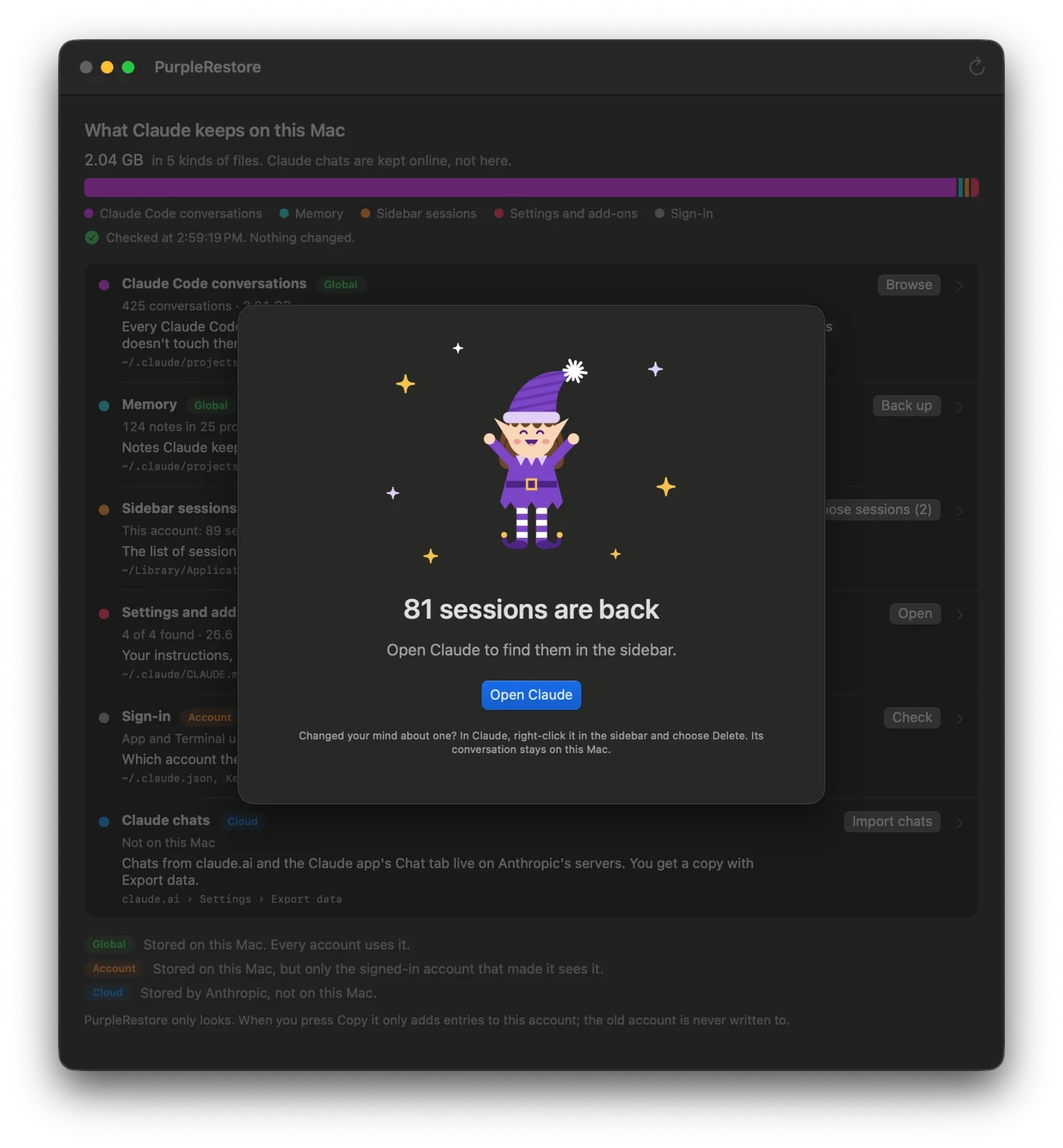
Purple says how many came back.
-
5
Back in the sidebar
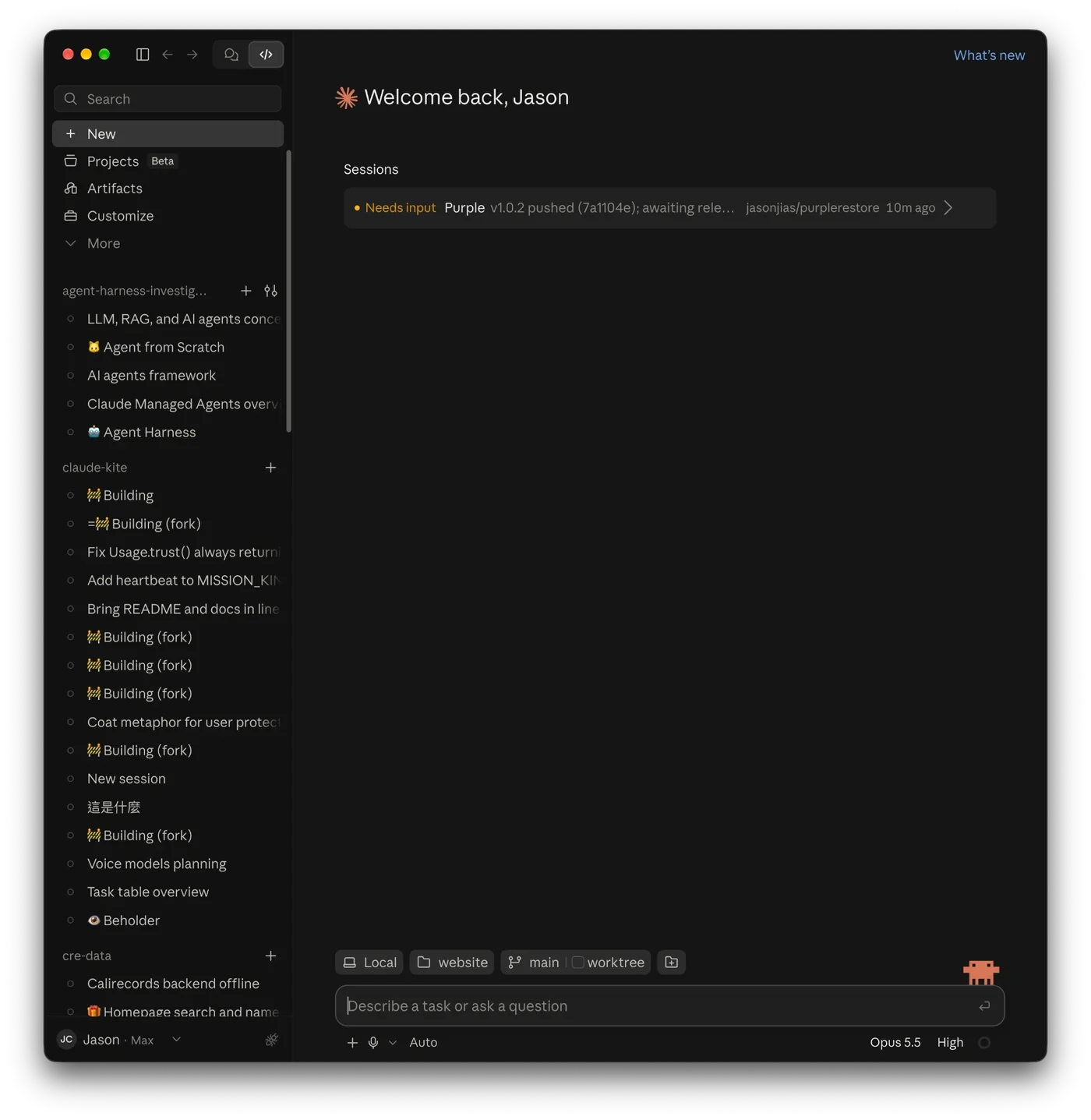
Open Claude and the sessions are listed again, each with its conversation.
-
6
Every project
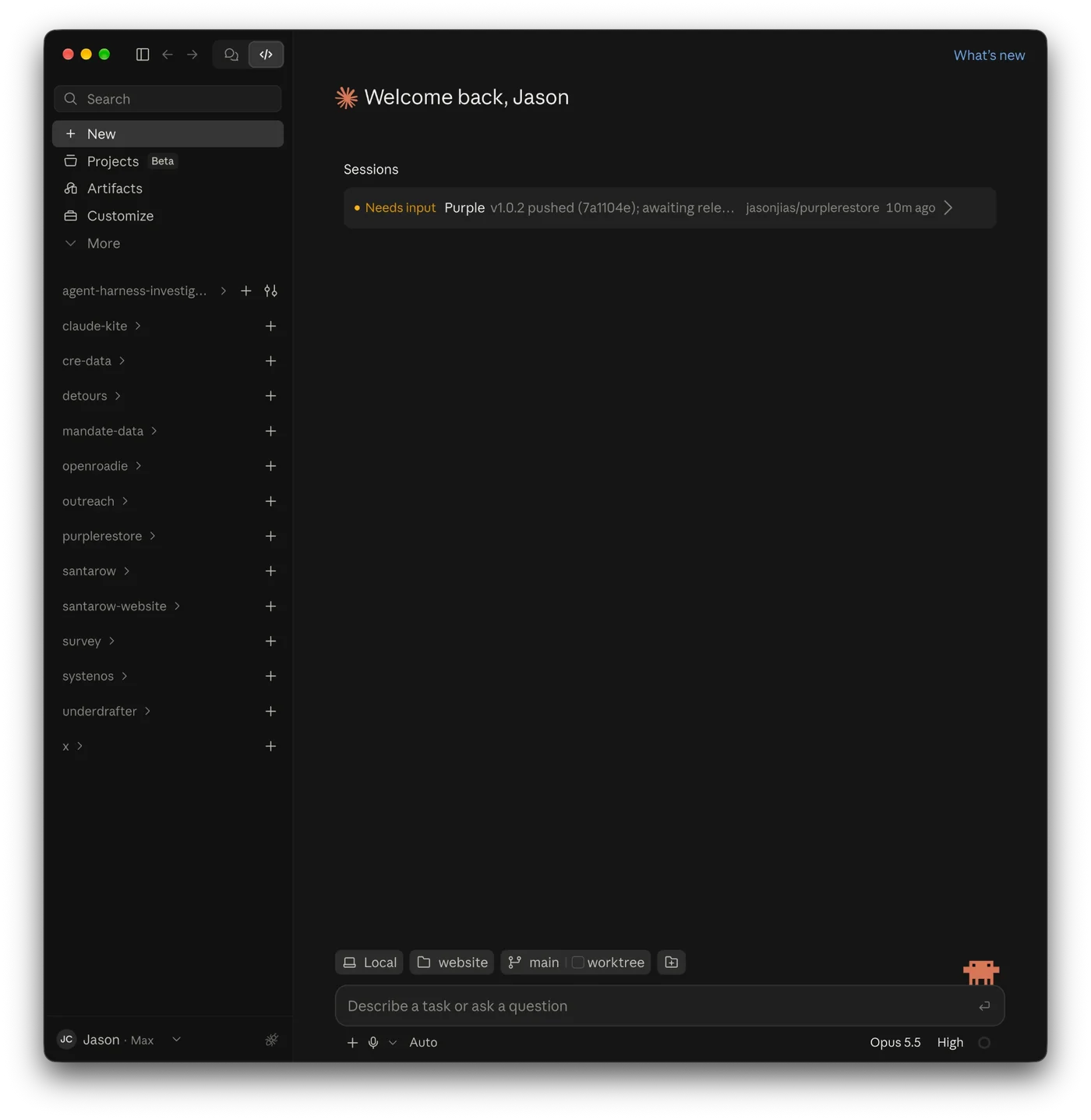
Collapse the list and every project is there.
Careful with your files
- It only looks until you press Copy. Nothing is written before that.
- Copy never overwrites or deletes. It adds sidebar entries to this account. For each session it brings back, it moves Claude's “deleted” notes aside and keeps them in
~/Library/Application Support/PurpleRestore/Markers/. The old account is read-only, and after each copy Purple checks the originals are byte-for-byte unchanged. - Claude has to be quit before Purple copies.
- Every copy is written down. Each Copy leaves a small record of what it did in
~/Library/Application Support/PurpleRestore/Copies/. - The counts add up. Old total = already here + ready to copy + can't come over.
Why not the App Store
App Store apps live in a sandbox that can't read the folders where Claude keeps your sessions. So Purple is a direct download, signed and notarized by Apple.